

Importe total (1 artículo artículos):
Destino del pedido:

9798868815560 - Beginner's Guide to Adobe Fresco: Enhancing your Images using the Digital Paint Brush de Harder, Jennifer (20 resultados)
Ir a los resultados principales
Filtros de búsqueda
Tipo de artículo
- Todos los tipos de productos
- Libros (20)
- Revistas y publicaciones (No hay ningún otro resultado que coincida con este filtro.)
- Cómics (No hay ningún otro resultado que coincida con este filtro.)
- Partituras (No hay ningún otro resultado que coincida con este filtro.)
- Arte, grabados y pósters (No hay ningún otro resultado que coincida con este filtro.)
- Fotografías (No hay ningún otro resultado que coincida con este filtro.)
- Mapas (No hay ningún otro resultado que coincida con este filtro.)
- Manuscritos y coleccionismo de papel (No hay ningún otro resultado que coincida con este filtro.)
Condición Más información
- Nuevo (18)
- Como nuevo, Excelente o Muy bueno (2)
- Bueno o Aceptable (No hay ningún otro resultado que coincida con este filtro.)
- Regular o Pobre (No hay ningún otro resultado que coincida con este filtro.)
- Tal como se indica (No hay ningún otro resultado que coincida con este filtro.)
Encuadernación
- Todas
- Tapa dura (No hay ningún otro resultado que coincida con este filtro.)
- Tapa blanda (20)
Más atributos
- Primera edición (No hay ningún otro resultado que coincida con este filtro.)
- Firmado (No hay ningún otro resultado que coincida con este filtro.)
- Sobrecubierta (No hay ningún otro resultado que coincida con este filtro.)
- Con imágenes (9)
- No impresión bajo demanda (13)
Idioma (1)
Precio
- Cualquier precio
- Menos de EUR 20 (No hay ningún otro resultado que coincida con este filtro.)
- EUR 20 a EUR 45
- Más de EUR 45
Gastos de envío gratis
Ubicación del vendedor
Valoración de los vendedores
-

Beginner?s Guide to Adobe Fresco : Enhancing Your Images Using the Digital Paint Brush
Librería: GreatBookPrices, Columbia, MD, Estados Unidos de America
Calificación del vendedor: 5 de 5 estrellas

EUR 40,07
Envío por EUR 2,27
Se envía dentro de Estados Unidos de AmericaCantidad disponible: Más de 20 disponibles
Añadir al carritoCondición: New.
-
Beginner's Guide to Adobe Fresco: Enhancing your Images using the Digital Paint Brush
Librería: California Books, Miami, FL, Estados Unidos de America
Calificación del vendedor: 5 de 5 estrellas
EUR 44,33
Gastos de envío gratis
Se envía dentro de Estados Unidos de AmericaCantidad disponible: Más de 20 disponibles
Añadir al carritoCondición: New.
-
Beginner?s Guide to Adobe Fresco : Enhancing Your Images Using the Digital Paint Brush
Librería: GreatBookPrices, Columbia, MD, Estados Unidos de America
Calificación del vendedor: 5 de 5 estrellas
EUR 42,65
Envío por EUR 2,27
Se envía dentro de Estados Unidos de AmericaCantidad disponible: Más de 20 disponibles
Añadir al carritoCondición: As New. Unread book in perfect condition.
-

Beginner's Guide to Adobe Fresco
Librería: Rarewaves USA, OSWEGO, IL, Estados Unidos de America
Calificación del vendedor: 5 de 5 estrellas
EUR 51,89
Gastos de envío gratis
Se envía dentro de Estados Unidos de AmericaCantidad disponible: Más de 20 disponibles
Añadir al carritoPaperback. Condición: New.
-
Beginner's Guide to Adobe Fresco
Librería: Rarewaves.com USA, London, LONDO, Reino Unido
Calificación del vendedor: 5 de 5 estrellas
EUR 67,10
Gastos de envío gratis
Se envía de Reino Unido a Estados Unidos de AmericaCantidad disponible: Más de 20 disponibles
Añadir al carritoPaperback. Condición: New.
-
Beginner?s Guide to Adobe Fresco : Enhancing Your Images Using the Digital Paint Brush
Librería: GreatBookPricesUK, Woodford Green, Reino Unido
Calificación del vendedor: 5 de 5 estrellas
EUR 52,13
Envío por EUR 17,33
Se envía de Reino Unido a Estados Unidos de AmericaCantidad disponible: Más de 20 disponibles
Añadir al carritoCondición: As New. Unread book in perfect condition.
-
Beginner?s Guide to Adobe Fresco : Enhancing Your Images Using the Digital Paint Brush
Librería: GreatBookPricesUK, Woodford Green, Reino Unido
Calificación del vendedor: 5 de 5 estrellas
EUR 54,10
Envío por EUR 17,33
Se envía de Reino Unido a Estados Unidos de AmericaCantidad disponible: Más de 20 disponibles
Añadir al carritoCondición: New.
-
Beginner's Guide to Adobe Fresco
Librería: PBShop.store UK, Fairford, GLOS, Reino Unido
Calificación del vendedor: 4 de 5 estrellas

EUR 72,98
Envío por EUR 5,80
Se envía de Reino Unido a Estados Unidos de AmericaCantidad disponible: Más de 20 disponibles
Añadir al carritoPAP. Condición: New. New Book. Shipped from UK. Established seller since 2000.
-
Beginner's Guide to Adobe Fresco
Librería: PBShop.store US, Wood Dale, IL, Estados Unidos de America
Calificación del vendedor: 5 de 5 estrellas
EUR 82,81
Gastos de envío gratis
Se envía dentro de Estados Unidos de AmericaCantidad disponible: Más de 20 disponibles
Añadir al carritoPAP. Condición: New. New Book. Shipped from UK. Established seller since 2000.
-

Beginner's Guide to Adobe Fresco
Librería: Rarewaves USA United, OSWEGO, IL, Estados Unidos de America
Calificación del vendedor: 5 de 5 estrellas
EUR 54,12
Envío por EUR 43,04
Se envía dentro de Estados Unidos de AmericaCantidad disponible: Más de 20 disponibles
Añadir al carritoPaperback. Condición: New.
-
Beginners Guide to Adobe Fresco (Paperback)
Librería: AussieBookSeller, Truganina, VIC, Australia
Calificación del vendedor: 5 de 5 estrellas
EUR 98,91
Envío por EUR 31,85
Se envía de Australia a Estados Unidos de AmericaCantidad disponible: 1 disponibles
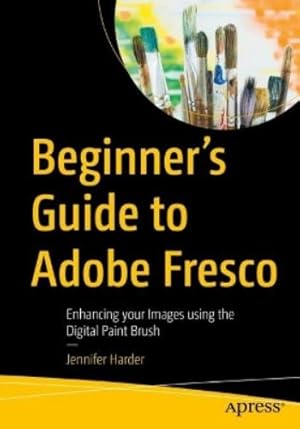
Añadir al carritoPaperback. Condición: new. Paperback. Explore your creative side using a combination of vector and raster (pixilated) layers and brushes with Adobe Fresco to create your digital painting effects, enhance your designs, or create a simple GIF animation. Fresco is a unique drawing application added to the Adobe Creative Cloud suite in 2019. If you are not familiar with Fresco, you may want to know what its practical applications are for your next design project. This book will explore how Fresco can be used as a stand-alone creative application using its various tools and panels. However, we will also look at how to import your current artwork created with other Adobe Applications like Photoshop into Fresco to enhance the design. Later we will look at Frescos basic animation options as well. Finally, we will look at Export options so that you can use the final files for projects and share them with other Adobe applications outside of the Creative Cloud desktop file folder. You will discover that Fresco is a great application to add to your tool belt of knowledge when your clients ask that additional artistic brush effects be applied to a project. You will also see the various similarities between it, Photoshop, and Illustrator. You WillMaster use of Tools and Panels to enhance your artwork in a new documentDiscover the many brush options available within FrescoFind out how to import artwork into Fresco to editLearn to create a GIF animation within the Fresco applicationGrasp how to export your completed artwork for other Adobe applicationsWho Is This Book ForThis book is ideal for beginners; however, some prior experience with using Photoshop and Illustrator to create or color correct the main images before importing is useful. Some information will be briefly discussed regarding these Adobe applications as it specifically applies to Fresco.Students and graphic designers who want to add further brush embellishments to their projects while working with Fresco and other Adobe applications. Master use of Tools and Panels to enhance your artwork in a new document Shipping may be from our Sydney, NSW warehouse or from our UK or US warehouse, depending on stock availability.
-

Beginner's Guide to Adobe Fresco | Enhancing your Images using the Digital Paint Brush
Librería: preigu, Osnabrück, Alemania
Calificación del vendedor: 5 de 5 estrellas
EUR 54,35
Envío por EUR 70,00
Se envía de Alemania a Estados Unidos de AmericaCantidad disponible: 5 disponibles
Añadir al carritoTaschenbuch. Condición: Neu. Beginner's Guide to Adobe Fresco | Enhancing your Images using the Digital Paint Brush | Jennifer Harder | Taschenbuch | xvi | Englisch | 2025 | Apress | EAN 9798868815560 | Verantwortliche Person für die EU: APress in Springer Science + Business Media, Heidelberger Platz 3, 14197 Berlin, juergen[dot]hartmann[at]springer[dot]com | Anbieter: preigu.
-

Beginner's Guide to Adobe Fresco
Librería: Rarewaves.com UK, London, Reino Unido
Calificación del vendedor: 5 de 5 estrellas
EUR 63,60
Envío por EUR 75,11
Se envía de Reino Unido a Estados Unidos de AmericaCantidad disponible: Más de 20 disponibles
Añadir al carritoPaperback. Condición: New.
-
Beginners Guide to Adobe Fresco (Paperback)
Librería: Grand Eagle Retail, Bensenville, IL, Estados Unidos de America
Calificación del vendedor: 5 de 5 estrellas
EUR 42,42
Gastos de envío gratis
Se envía dentro de Estados Unidos de AmericaCantidad disponible: 1 disponibles
Añadir al carritoPaperback. Condición: new. Paperback. Explore your creative side using a combination of vector and raster (pixilated) layers and brushes with Adobe Fresco to create your digital painting effects, enhance your designs, or create a simple GIF animation. Fresco is a unique drawing application added to the Adobe Creative Cloud suite in 2019. If you are not familiar with Fresco, you may want to know what its practical applications are for your next design project. This book will explore how Fresco can be used as a stand-alone creative application using its various tools and panels. However, we will also look at how to import your current artwork created with other Adobe Applications like Photoshop into Fresco to enhance the design. Later we will look at Frescos basic animation options as well. Finally, we will look at Export options so that you can use the final files for projects and share them with other Adobe applications outside of the Creative Cloud desktop file folder. You will discover that Fresco is a great application to add to your tool belt of knowledge when your clients ask that additional artistic brush effects be applied to a project. You will also see the various similarities between it, Photoshop, and Illustrator. You WillMaster use of Tools and Panels to enhance your artwork in a new documentDiscover the many brush options available within FrescoFind out how to import artwork into Fresco to editLearn to create a GIF animation within the Fresco applicationGrasp how to export your completed artwork for other Adobe applicationsWho Is This Book ForThis book is ideal for beginners; however, some prior experience with using Photoshop and Illustrator to create or color correct the main images before importing is useful. Some information will be briefly discussed regarding these Adobe applications as it specifically applies to Fresco.Students and graphic designers who want to add further brush embellishments to their projects while working with Fresco and other Adobe applications. Master use of Tools and Panels to enhance your artwork in a new document This item is printed on demand. Shipping may be from multiple locations in the US or from the UK, depending on stock availability.
-
Beginner's Guide to Adobe Fresco (eng)
Librería: Brook Bookstore On Demand, Napoli, NA, Italia
Calificación del vendedor: 5 de 5 estrellas
EUR 50,23
Envío por EUR 5,50
Se envía de Italia a Estados Unidos de AmericaCantidad disponible: Más de 20 disponibles
Añadir al carritoCondición: new. Questo è un articolo print on demand.
-

Beginner's Guide to Adobe Fresco
Librería: BuchWeltWeit Ludwig Meier e.K., Bergisch Gladbach, Alemania
Calificación del vendedor: 5 de 5 estrellas
EUR 64,19
Envío por EUR 23,00
Se envía de Alemania a Estados Unidos de AmericaCantidad disponible: 2 disponibles
Añadir al carritoTaschenbuch. Condición: Neu. This item is printed on demand - it takes 3-4 days longer - Neuware -Explore your creative side using a of combination of vector and raster (pixilated) layers and brushes with Adobe Fresco to create your digital painting effects, enhance your designs, or create a simple GIF animation. Fresco is a unique drawing application added to the Adobe Creative Cloud suite in 2019. If you are not familiar with Fresco, you may want to know what its practical applications are for your next design project. This book will explore how Fresco can be used as a stand-alone creative application using its various tools and panels. However, we will also look at how to import your current artwork created with other Adobe Applications like Photoshop into Fresco to enhance the design. Later we will look at Fresco s basic animation options as well. Finally, we will look at Export options so that you can use the final files for projects and share them with other Adobe applications outside of the Creative Cloud desktop file folder. You will discover that Fresco is a great application to add to your tool belt of knowledge when your clients ask that additional artistic brush effects be applied to a project. You will also see the various similarities between it, Photoshop, and Illustrator.You WillMaster use of Tools and Panels to enhance your artwork in a new documentDiscover the many brush options available within FrescoFind out how to import artwork into Fresco to editLearn to create a GIF animation within the Fresco application 698 pp. Englisch.
-
Beginners Guide to Adobe Fresco (Paperback)
Librería: CitiRetail, Stevenage, Reino Unido
Calificación del vendedor: 5 de 5 estrellas
EUR 60,69
Envío por EUR 42,76
Se envía de Reino Unido a Estados Unidos de AmericaCantidad disponible: 1 disponibles
Añadir al carritoPaperback. Condición: new. Paperback. Explore your creative side using a combination of vector and raster (pixilated) layers and brushes with Adobe Fresco to create your digital painting effects, enhance your designs, or create a simple GIF animation. Fresco is a unique drawing application added to the Adobe Creative Cloud suite in 2019. If you are not familiar with Fresco, you may want to know what its practical applications are for your next design project. This book will explore how Fresco can be used as a stand-alone creative application using its various tools and panels. However, we will also look at how to import your current artwork created with other Adobe Applications like Photoshop into Fresco to enhance the design. Later we will look at Frescos basic animation options as well. Finally, we will look at Export options so that you can use the final files for projects and share them with other Adobe applications outside of the Creative Cloud desktop file folder. You will discover that Fresco is a great application to add to your tool belt of knowledge when your clients ask that additional artistic brush effects be applied to a project. You will also see the various similarities between it, Photoshop, and Illustrator. You WillMaster use of Tools and Panels to enhance your artwork in a new documentDiscover the many brush options available within FrescoFind out how to import artwork into Fresco to editLearn to create a GIF animation within the Fresco applicationGrasp how to export your completed artwork for other Adobe applicationsWho Is This Book ForThis book is ideal for beginners; however, some prior experience with using Photoshop and Illustrator to create or color correct the main images before importing is useful. Some information will be briefly discussed regarding these Adobe applications as it specifically applies to Fresco.Students and graphic designers who want to add further brush embellishments to their projects while working with Fresco and other Adobe applications. Master use of Tools and Panels to enhance your artwork in a new document This item is printed on demand. Shipping may be from our UK warehouse or from our Australian or US warehouses, depending on stock availability.
-
Beginners Guide to Adobe Fresco
Librería: moluna, Greven, Alemania
Calificación del vendedor: 4 de 5 estrellas
EUR 57,59
Envío por EUR 48,99
Se envía de Alemania a Estados Unidos de AmericaCantidad disponible: Más de 20 disponibles
Añadir al carritoCondición: New. Dieser Artikel ist ein Print on Demand Artikel und wird nach Ihrer Bestellung fuer Sie gedruckt.
-

Beginner's Guide to Adobe Fresco
Librería: buchversandmimpf2000, Emtmannsberg, BAYE, Alemania
Calificación del vendedor: 5 de 5 estrellas
EUR 64,19
Envío por EUR 60,00
Se envía de Alemania a Estados Unidos de AmericaCantidad disponible: 1 disponibles
Añadir al carritoTaschenbuch. Condición: Neu. This item is printed on demand - Print on Demand Titel. Neuware -Explore your creative side using a of combination of vector and raster (pixilated) layers and brushes with Adobe Fresco to create digital painting effect, enhance your designs, or create a simple GIF Animation. Fresco is a unique drawing application added to the Adobe Creative Cloud suite in 2019.Libri GmbH, Europaallee 1, 36244 Bad Hersfeld 698 pp. Englisch.
-

Beginner's Guide to Adobe Fresco : Enhancing your Images using the Digital Paint Brush
Librería: AHA-BUCH GmbH, Einbeck, Alemania
Calificación del vendedor: 5 de 5 estrellas
EUR 64,19
Envío por EUR 66,61
Se envía de Alemania a Estados Unidos de AmericaCantidad disponible: 1 disponibles
Añadir al carritoTaschenbuch. Condición: Neu. nach der Bestellung gedruckt Neuware - Printed after ordering - Explore your creative side using a combination of vector and raster (pixilated) layers and brushes with Adobe Fresco to create your digital painting effects, enhance your designs, or create a simple GIF animation. Fresco is a unique drawing application added to the Adobe Creative Cloud suite in 2019. If you are not familiar with Fresco, you may want to know what its practical applications are for your next design project. This book will explore how Fresco can be used as a stand-alone creative application using its various tools and panels. However, we will also look at how to import your current artwork created with other Adobe Applications like Photoshop into Fresco to enhance the design. Later we will look at Fresco s basic animation options as well. Finally, we will look at Export options so that you can use the final files for projects and share them with other Adobe applications outside of the Creative Cloud desktop file folder. You will discover that Fresco is a great application to add to your tool belt of knowledge when your clients ask that additional artistic brush effects be applied to a project. You will also see the various similarities between it, Photoshop, and Illustrator.You WillMaster use of Tools and Panels to enhance your artwork in a new documentDiscover the many brush options available within FrescoFind out how to import artwork into Fresco to editLearn to create a GIF animation within the Fresco application.

